Build a 1 Obby Controls
Place, rotate, raise, lower, and refund parts on PC or mobile without fighting the camera.
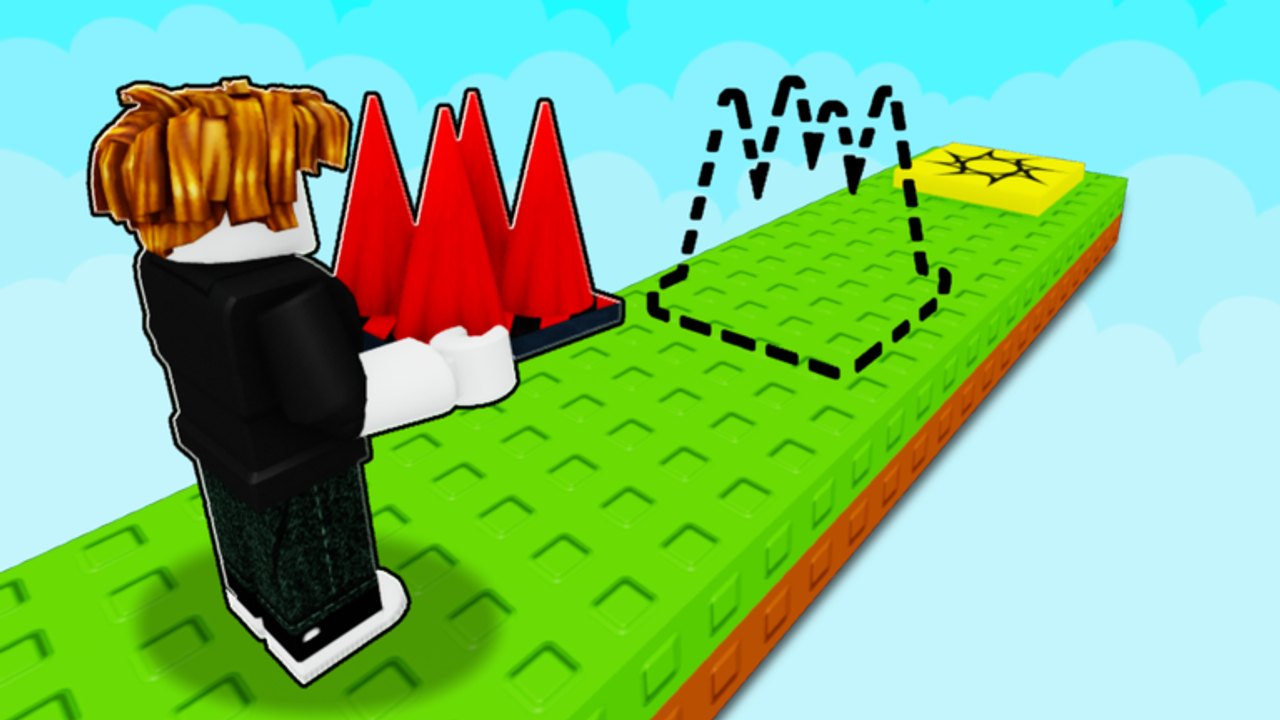
Build a 1 Obby (official listing Build An Obby) is a plot builder first and a parkour game second. If the inputs feel wrong, every later page on this hub is harder than it needs to be. This guide is the control sheet: PC, mobile, camera, shop, delete/refund, and the split between build mode and play mode. It is not a first-session script. For the fifteen-minute plan, use Getting Started. For spacing after you can place cleanly, use How to Build.
The experience runs on desktop, mobile, and tablet with the same R6 character. Servers hold five players. You will place parts while other people are jumping next door. Learn the keys before you start a troll layout from the Troll Obby Guide, and before you spend on Plot Upgrades. A mis-rotated ramp wastes cash you should be earning from How to Earn Cash.
PC placement
| Action | PC |
|---|---|
| Place the selected part | Click the snap |
| Rotate | R |
| Raise | Q |
| Lower | E |
| Remove (refund / return to inventory) | Double-click the part |
| Move the character | WASD |
| Jump | Space (default Roblox jump) |
| Camera | Right mouse drag / default Roblox camera |
Click to place is the whole building verb. If the snap is illegal, the game highlights it. Do not spam clicks on a red or highlighted ghost. Rotate with R until the face you want is down, then Q or E until the height matches the last platform. Double-click removes the piece and refunds or returns it to inventory, so a bad click is not a sunk cost.
Keep the character close to the last part. Placing from across the plot with a wild camera is how cubes float a stud off the line and become unfair jumps. Default WASD plus jump is enough to step onto a cube and test it immediately. You do not need a coil to learn the keys.
Mobile and tablet
| Action | Mobile / tablet |
|---|---|
| Place the selected part | Tap the snap |
| Rotate | On-screen rotate control |
| Raise | On-screen raise control |
| Lower | On-screen lower control |
| Remove (refund / return to inventory) | Double-tap the part |
| Move | On-screen joystick |
| Jump | On-screen jump |
| Camera | Drag on the free look area |
Mobile uses the same verbs as PC: place, rotate, raise, lower, delete. The buttons sit on-screen instead of R, Q, and E. Double-tap is the refund. If your thumbs cover the snap, orbit the camera first, then tap. Invalid placement still highlights; a fat-fingered tap is meant to be undone, not left as a troll.
Tablet is the same layout with more screen. Use it when you want precise taps without a mouse. Do not assume mobile players on your server have coils or a flying carpet. Build the first line so a default jump clears it, which Getting Started already asks for. The longer thumb-camera notes live on the mobile guide.
Camera while building
Orbit so you see the top face and the previous platform in the same frame. If you only see the side of a cube, Q and E feel random. Zoom out one notch when you place walls or ramps so the highlight is visible. Zoom in when you paint or when you are aligning a half-cube to a full cube.
Play mode wants a behind-the-character camera. If you jump with the camera still in a top-down build angle, you will miss platforms that are actually fair. Switch the view before you test. That test is the same rule How to Build repeats every four parts.
Shop, hotbar, and refunds
Open the shop, buy a part, select it, then click or tap to place. Cubes, half-cubes, spheres, platforms, walls, ramps, lava/kill bricks, fading platforms, wall jumps, ghost paths, jump pads, and checkered platforms all use this loop. Some parts accept paint or color after they sit. Shop restock can empty a category; refund a piece you do not need rather than dropping it as clutter.
Double-click or double-tap is the undo. Treat it as part of building, not as a panic button. If a lava brick is one stud off, refund it. A misaligned kill brick reads as a troll even when you did not mean it, and that hurts the visitor completions described in How to Earn Cash.
Do not buy plot space because the shop is confusing. Plot Upgrades is a cash decision, not a control. Learn R, Q, E, and delete on the starter pad first.
Play mode versus build mode
Build mode is for placing. Play mode is for running the course as a player. Mixing them is the usual beginner fail: you jump, land on a ghost snap, and accidentally drop a cube in the lane. When you want to test, stop placing. When you want to edit, stop jumping.
Play mode uses default WASD and jump on PC, or the on-screen stick and jump on mobile. There is no split-screen. Other people on the five-player server run their own plots at the same time. You can visit other plots to feel how their camera and jumps play, then return and edit yours.
Coils and the Flying Carpet change play feel (Speed Coil 79 Robux, Gravity Coil 199, Flying Carpet 399). They are not required to place parts. VIP is offsale. If you use a coil while testing, remember visitors may not own it. Test at least once on default jump, or you will publish a course only pass buyers can finish.
Troll parts still use the same keys
Hidden lava, fading platforms, and ghost paths are placed with the same click, R, Q, E, and double-click refund. The Troll Obby Guide is about design, not a second control scheme. If you cannot refund a fake path cleanly, you are not ready to hide it. Rank the parts themselves on the parts tier list after the keys are automatic.
Practice on the starter plot: place four cubes, rotate one, raise one, delete one, play the remaining three. That five-minute drill is the whole skill. After it feels boring, go back to Getting Started if the plot is still empty, or to How to Build if you already have six platforms and need fair gaps.
Frequently Asked Questions
Quick answers for Build a 1 Obby on Roblox.
How do I rotate, raise, and lower parts on PC?
Click to place, press R to rotate, Q to raise, and E to lower. If the snap highlights as invalid, rotate or change height before you commit.
How do I delete a part and get it back?
Double-click on PC or double-tap on mobile. The part refunds or returns to inventory, so a bad placement is cheap to fix.
What is the difference between play mode and build mode?
Build mode places parts. Play mode runs the course with WASD or the on-screen stick. Stop placing before you jump so you do not drop extra cubes into the lane.
Are mobile controls the same actions as PC?
Yes. Tap to place, use on-screen rotate / raise / lower, and double-tap to refund. Camera is a drag on the free look area instead of right mouse.
Do I need a Speed Coil to build?
No. Placement is click or tap plus R, Q, and E. Coils change how you jump while testing. Always test once on default jump so visitors without passes can finish, which is the point of How to Earn Cash.